1) Create a Spring Boot Application
- steps:
- Install IDE:
- Install Eclipse IDE, STS for Java development
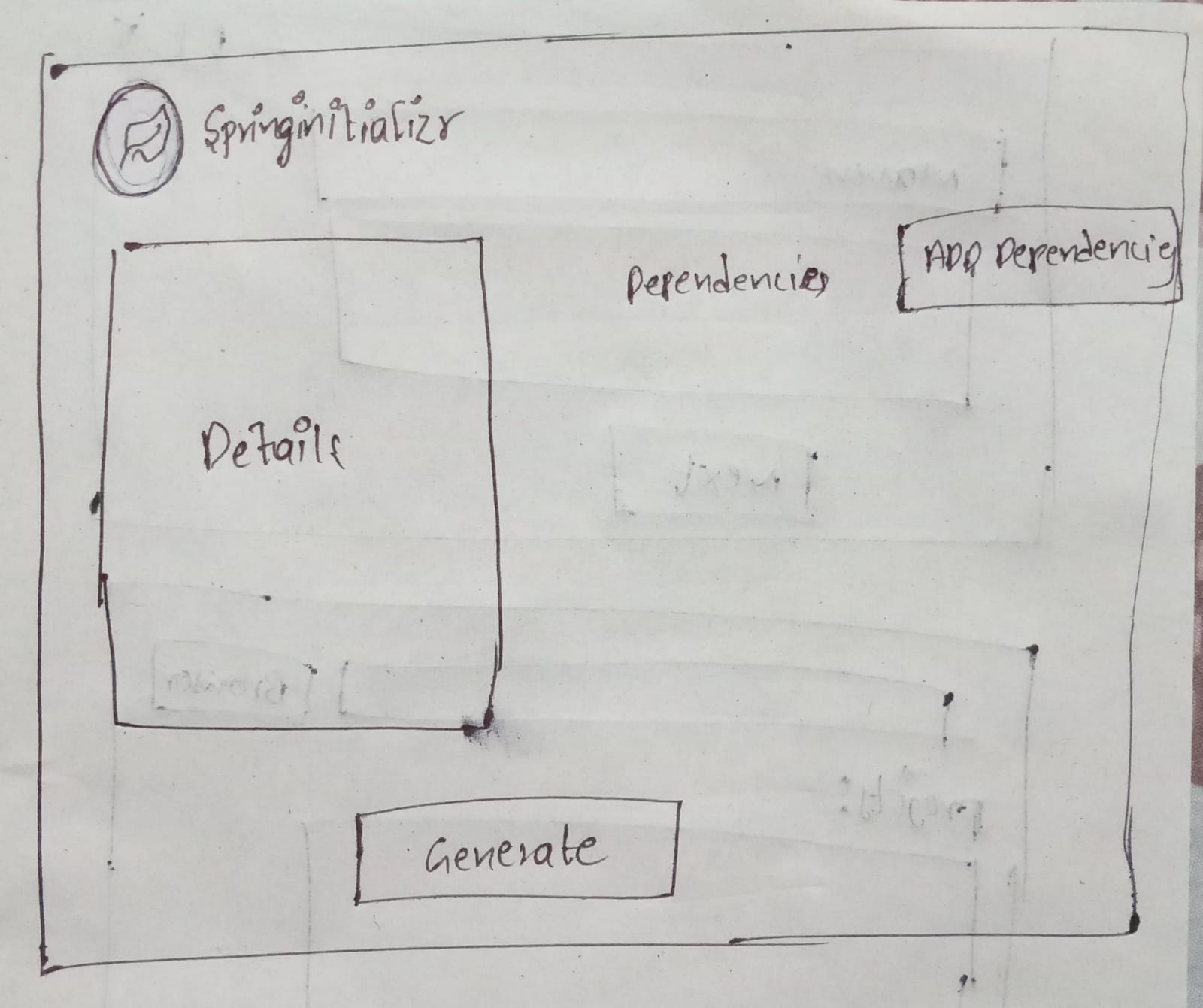
- Create Project:
- Enter details in Spring.io and click generate to download the project Zip
- Extract and import:
- Extract the project Zip and import it into the IDE
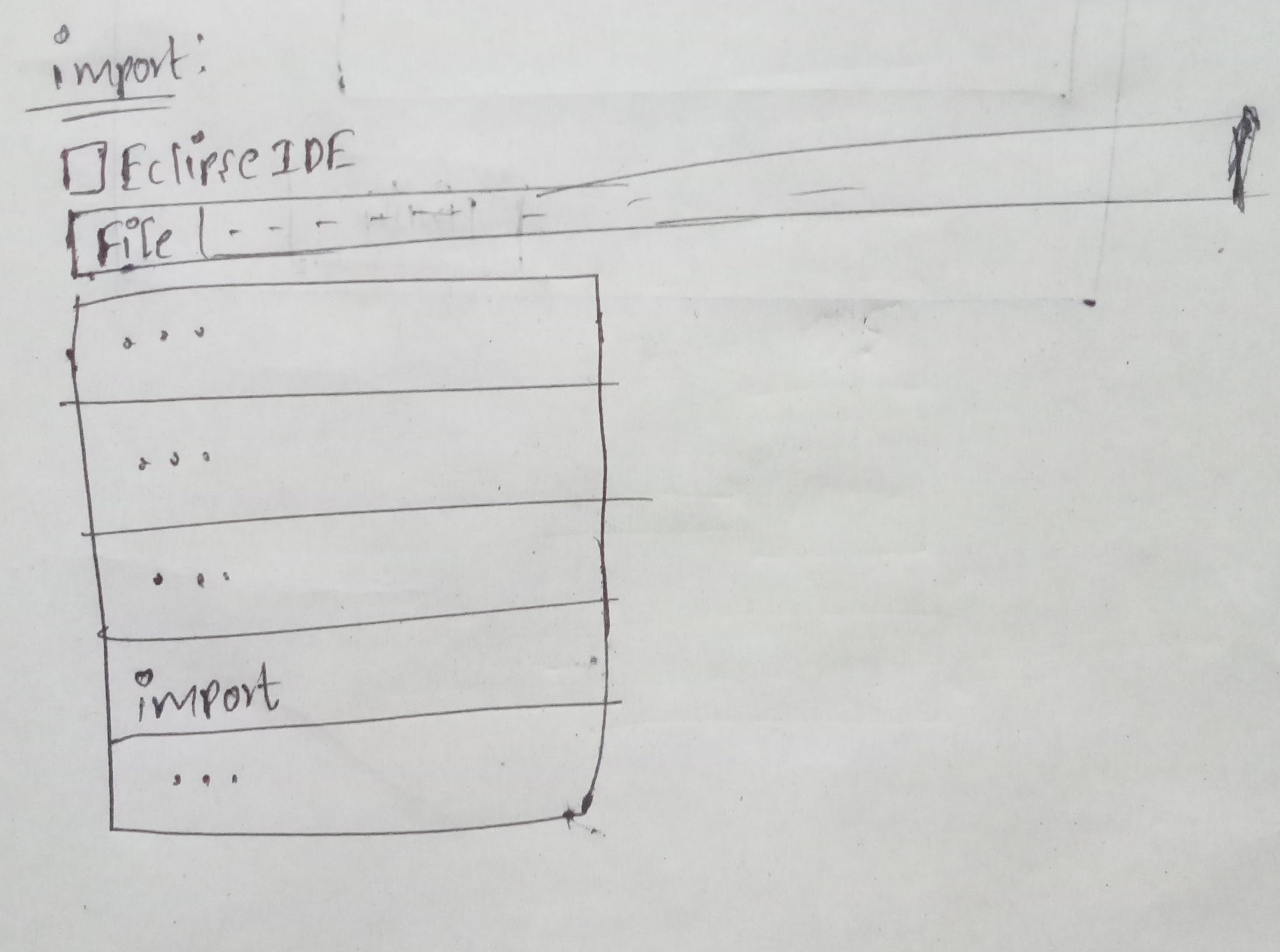
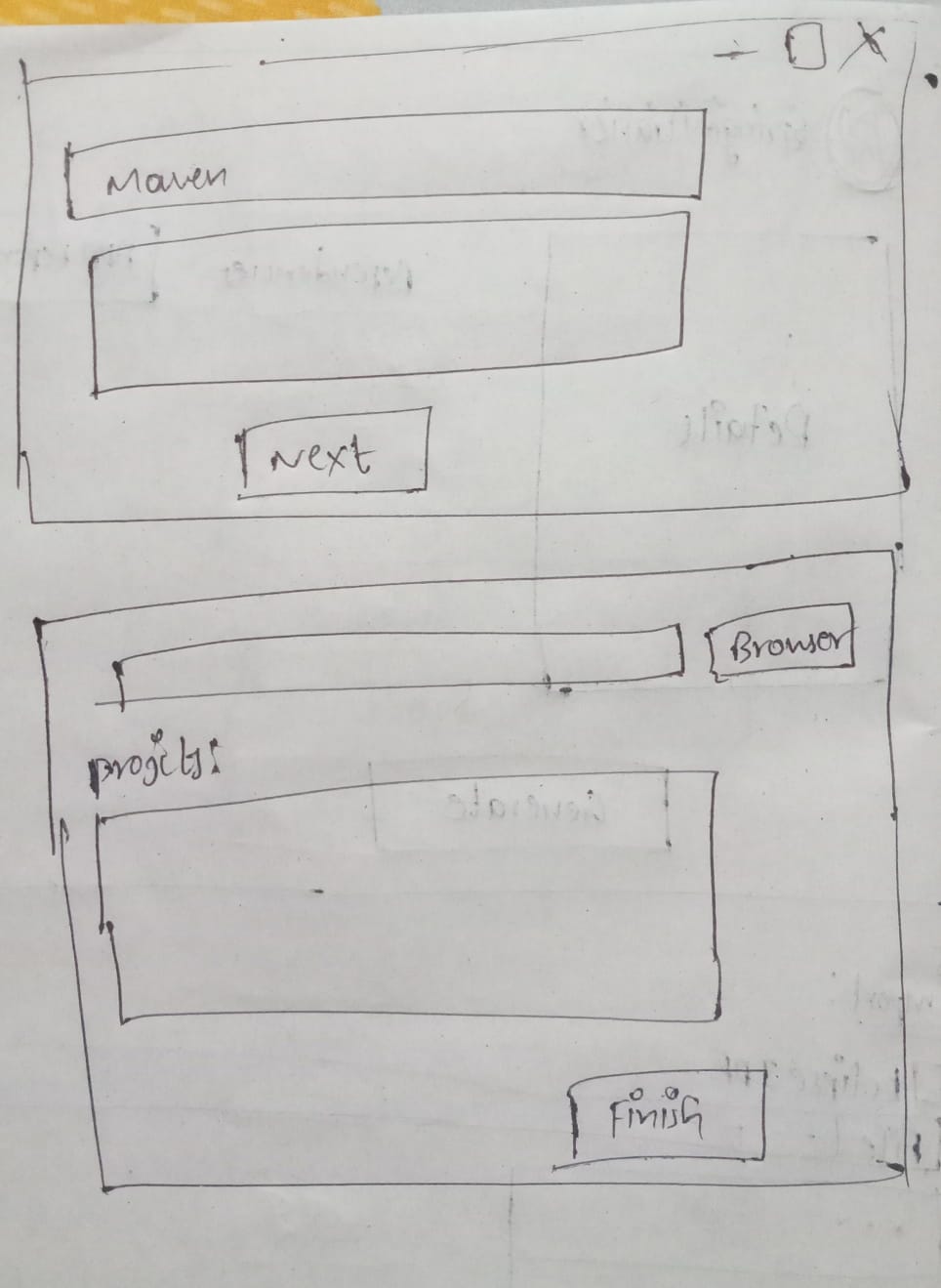
- Download Dependencies:
- IDE automatically download the required dependencies
- Run the Applications:
- Main class annotated with @SpringBootApplication and run it as a Java Application
2) REST controller:
@RestController
@RequestMapping("/request")
public class A {
  @GetMapping("/get")
  public String get() {
     return "CC";
  }
  @PostMapping("/post")
  public String post() {
     return "WNS";
  }
  @PutMapping("/put")
  public String put() {
     return "API&M";
  }
  @DeleteMapping("/delete")
  public String delete() {
     return "SCT";
  }
}
Main.java
@SpringBootApplication
public class Main {
  public static void main(String[] args) {
     SpringApplication.run(Main.class, args);
  }
}
Output:
CC
WNS
API&M
SCT
3) Build a Spring Boot Application with Exception Handling and apply aspects to controller methods
@RestController
@RequestMapping("/request")
public class A {
  @GetMapping("/get")
  public String get() {
      if(true)
          throw new RuntimeException("Error");
      return "CC";
  }
  @PostMapping("/post")
  public String post() {
      if(true)
          throw new RuntimeException("Error");
      return "WNS";
  }
  @PutMapping("/put")
  public String put() {
      if(true)
          throw new RuntimeException("Error");
      return "API&M";
  }
  @DeleteMapping("/delete")
  public String delete() {
      if(true)
          throw new RuntimeException("Error");
      return "SCT";
  }
}
B.java
@Aspect
@Component
public class B {
   @AfterThrowing(...)
   public void fun(Exception e){
      System.out.println(e.getMessage());
   }
}
Main.java
@SpringBootApplication
public class Main {
   public static void main(String[] args) {
      SpringApplication.run(Main.class, args);
   }
}
Output:
Error
Error
Error
Error
4) Autowiring in Spring
- The process of automatically injecting dependencies between beans is called as Autowiring
- It eliminates the manual wiring in XML
- Modes of Autowiring:
- NO:
- byName:
- byType:
- constructor:
- autodetect:
5) Singleton Scope vs Prototype Scope
- Singleton Scope:
- Prototype Scope:
6) Request scope and Session Scope
- Request scope:
- Session Scope:
7) Logging in a Spring Boot Application:
@RestController
@RequestMapping("/request")
public class A
{
  // Create a Logger instance
  public Logger a= ...;
  @GetMapping("/get")
  public void logExample()
  {
    a.info("A");
    a.warn("B");
    a.error("C");
  }
  @PostMapping("/post")
  public void logExample()
  {
    a.info("D");
    a.warn("E");
    a.error("F");
  }
  @PutMapping("/put")
  public void logExample()
  {
    a.info("G");
    a.warn("H");
    a.error("I");
  }
  @DeleteMapping("/delete")
  public void logExample()
  {
    a.info("J");
    a.warn("K");
    a.error("L");
  }
}
Main.java
@SpringBootApplication
public class Main {
  public static void main(String[] args) {
     SpringApplication.run(Main.class, args);
  }
}
Output:
INFO A
WARN B
ERROR C
INFO D
WARN E
ERROR F
INFO G
WARN H
ERROR I
INFO J
WARN K
ERROR L
8) Aspect-Oriented Programming(AOP):
- AOP stands for Aspect-Oriented Programming
- AOP is used to remove the cross-cutting concerns from the main logic
- In spring, an Advisor connects two things:
- Pointcut (where to do, key: @Pointcut, @Aspect)
- @Pointcut("expression") defines the join points
- @Aspect creates Advisors
- Advice (what to do, key: @Before, @After, @AfterReturning, @AfterThrowing, @Around)
- @Before runs before
- @After runs after
- @AfterReturning: if method returns
- @AfterThrowing: if method throws exception
- @Around: change value/handle Exception
A.java
@Aspect
@Component
Public class A
{
  @pointcut("expression")
  public void fun() {}
  @Before("fun()")
  public void fun1() {
    System.out.println("A");
  }
  @After("fun()")
  public void fun2() {
     System.out.println("B");
  }
  @AfterReturning(pointcut = "fun()", returning = "a")
  public void fun3(Object a) {
     System.out.println(a);
  }
  @AfterThrowing(pointcut = "fun()", throwing = "b")
  public void fun4(Exception b) {
     System.out.println(b.getMessage());
  }
  // AROUND
  @Around("fun()")
  public void fun5() {
     System.out.println("C");
  }
}
Main.java
@SpringBootApplication
public class Main {
  public static void main(String[] args) {
     SpringApplication.run(Main.class, args);
  }
}
Output:
A
B
//returns value
//Error message
C
9) Cross-Cutting Concerns:
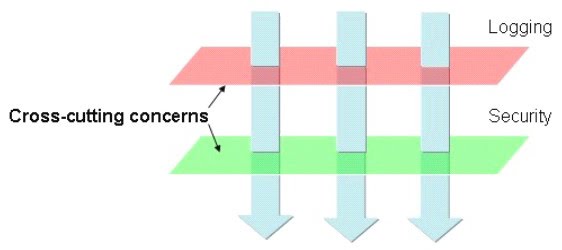
- Some features are used in many modules, and those features are not part of the main logic
- These are called as cross-cutting concerns.
- Example:
- Logging
- Auditing
- Exception Handling
- Security
- Role of AOP:
- AOP stands for Aspect-Oriented Programming
- AOP is used to remove the cross-cutting concerns from the main logic